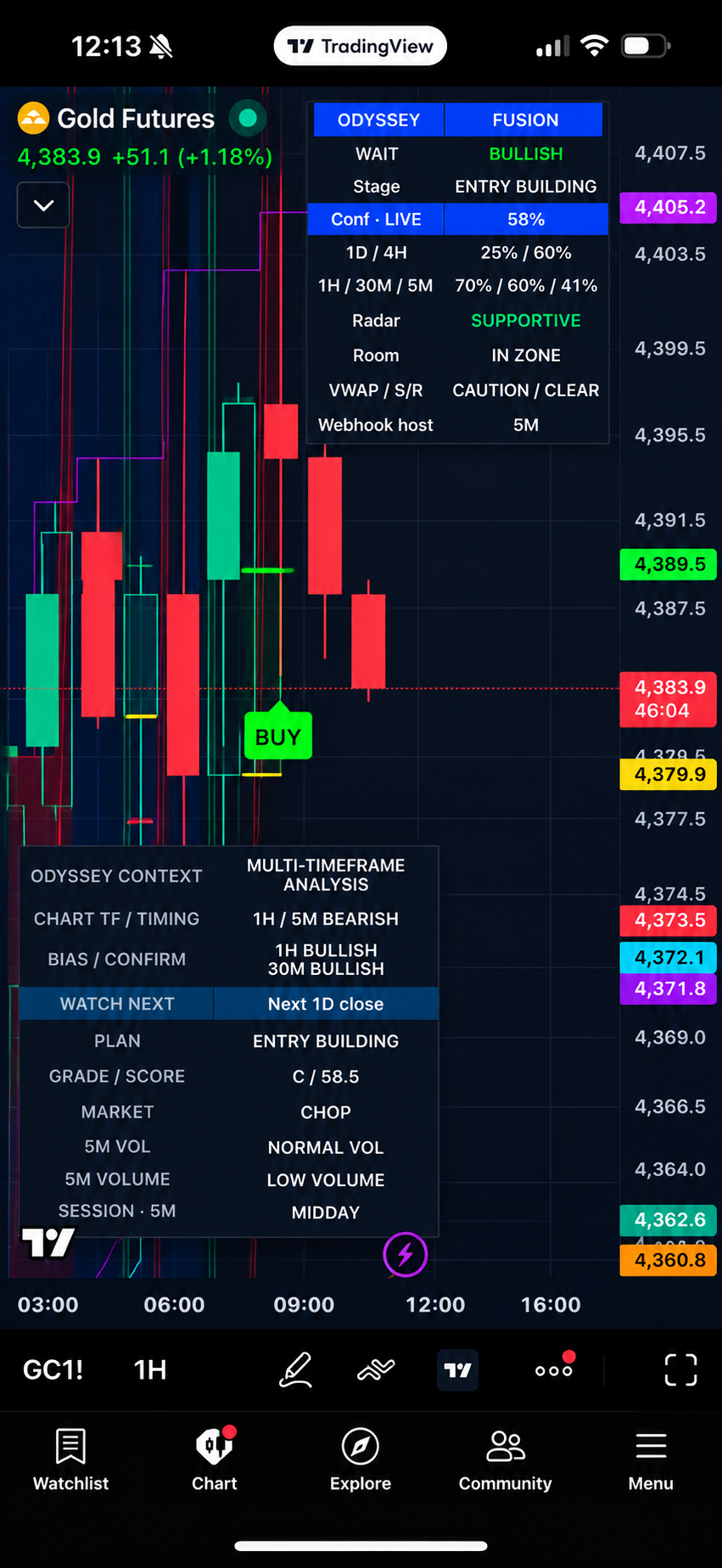
GOLD FUTURES
See Developing BUY Conditions
Follow multi-timeframe confirmation, market context, confidence, and developing conditions in one view.
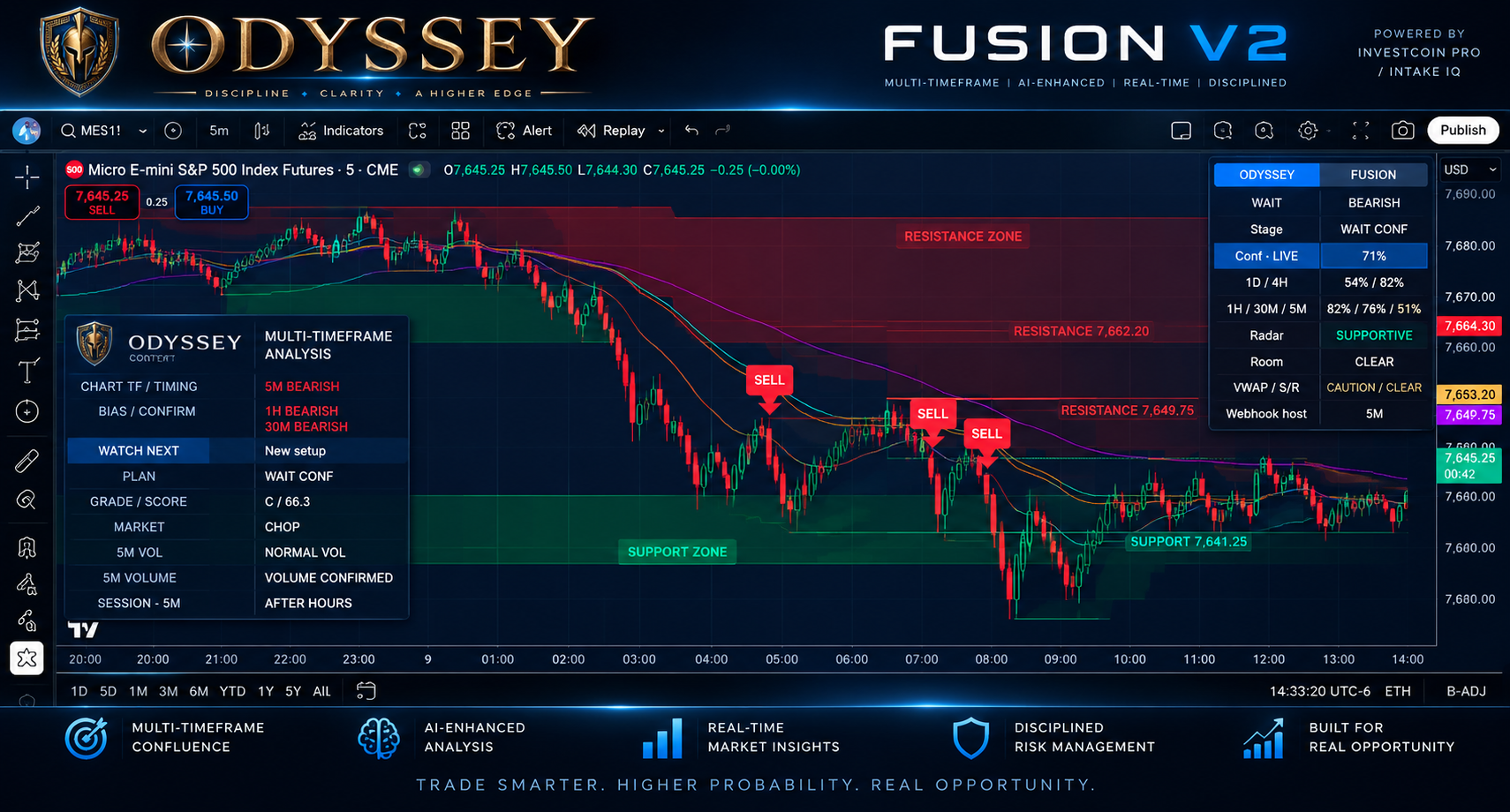
ODYSSEY FUSION · MULTI-TIMEFRAME DECISION SUPPORT
Bring direction, setup lifecycle, risk references and Radar zones into one TradingView chart.
SEE ODYSSEY IN ACTION
Odyssey Fusion combines multi-timeframe context, market structure, confidence, Radar conditions, and developing trade information directly inside TradingView.
GOLD FUTURES
Follow multi-timeframe confirmation, market context, confidence, and developing conditions in one view.
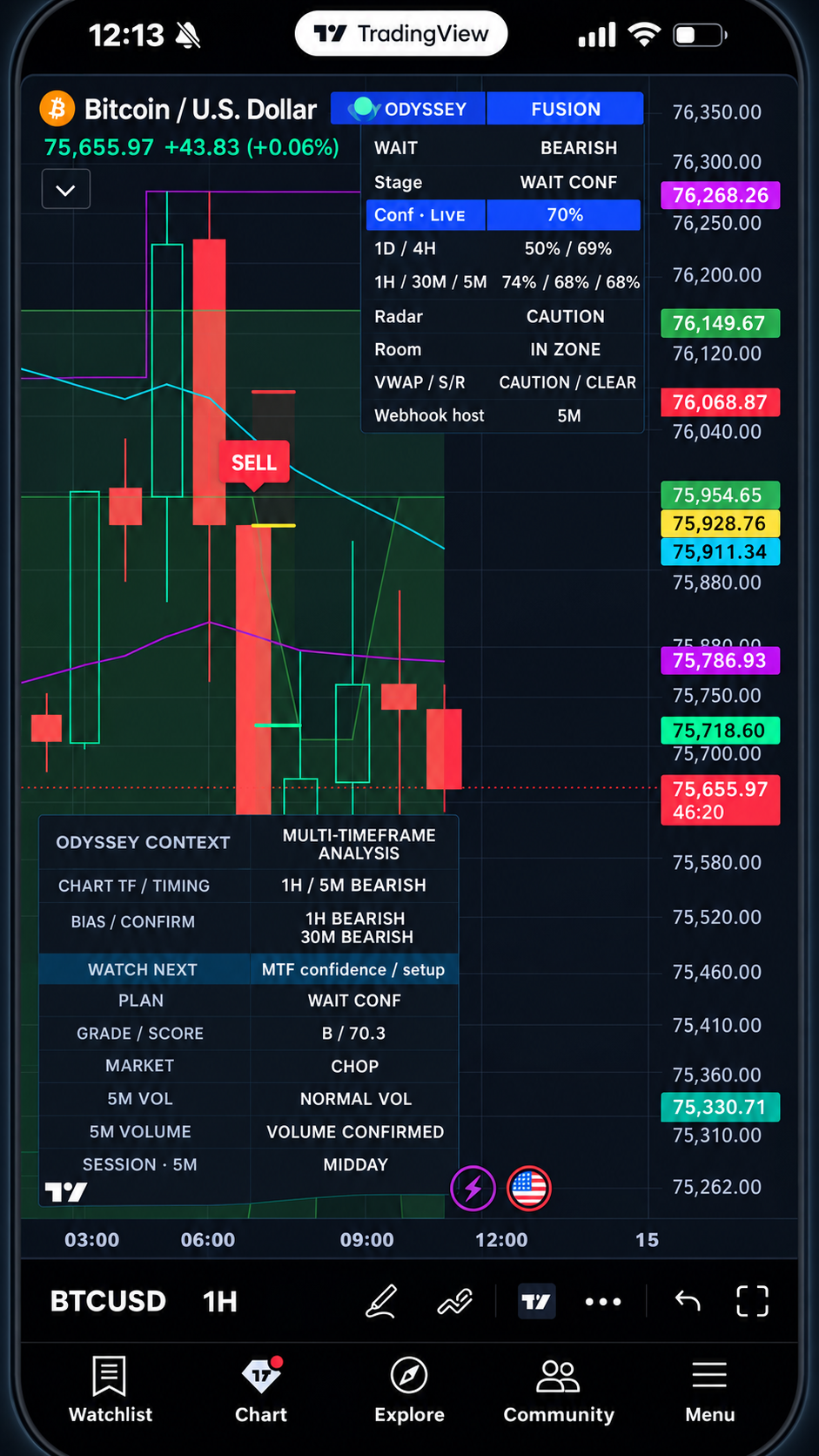
BITCOIN
Odyssey helps organize structure, directional context, confidence, and the next condition to watch across different markets.
MULTI-TIMEFRAME
Compare 1D / 4H / 1H / 30M / 5M direction and confidence before focusing on timing.
WATCH NEXT
Distinguish developing setups, ordinary retests, PB confirmation and the explicit BUY / SELL trigger.
RADAR
Read green/red Radar zones, named support/resistance and planned entry, stop and target references.
ODYSSEY Fusion is the client invite-only indicator. The private Fusion V2 workflow adds owner server/Telegram integration; it is not included in this offer. Compare the versions.
Odyssey Fusion brings market structure, multi-timeframe context, Strength, Confidence, and trade-development stages together directly on your chart.
Instead of relying on a single signal, Odyssey helps you understand whether the market is building, confirming, waiting, or presenting a stronger opportunity.
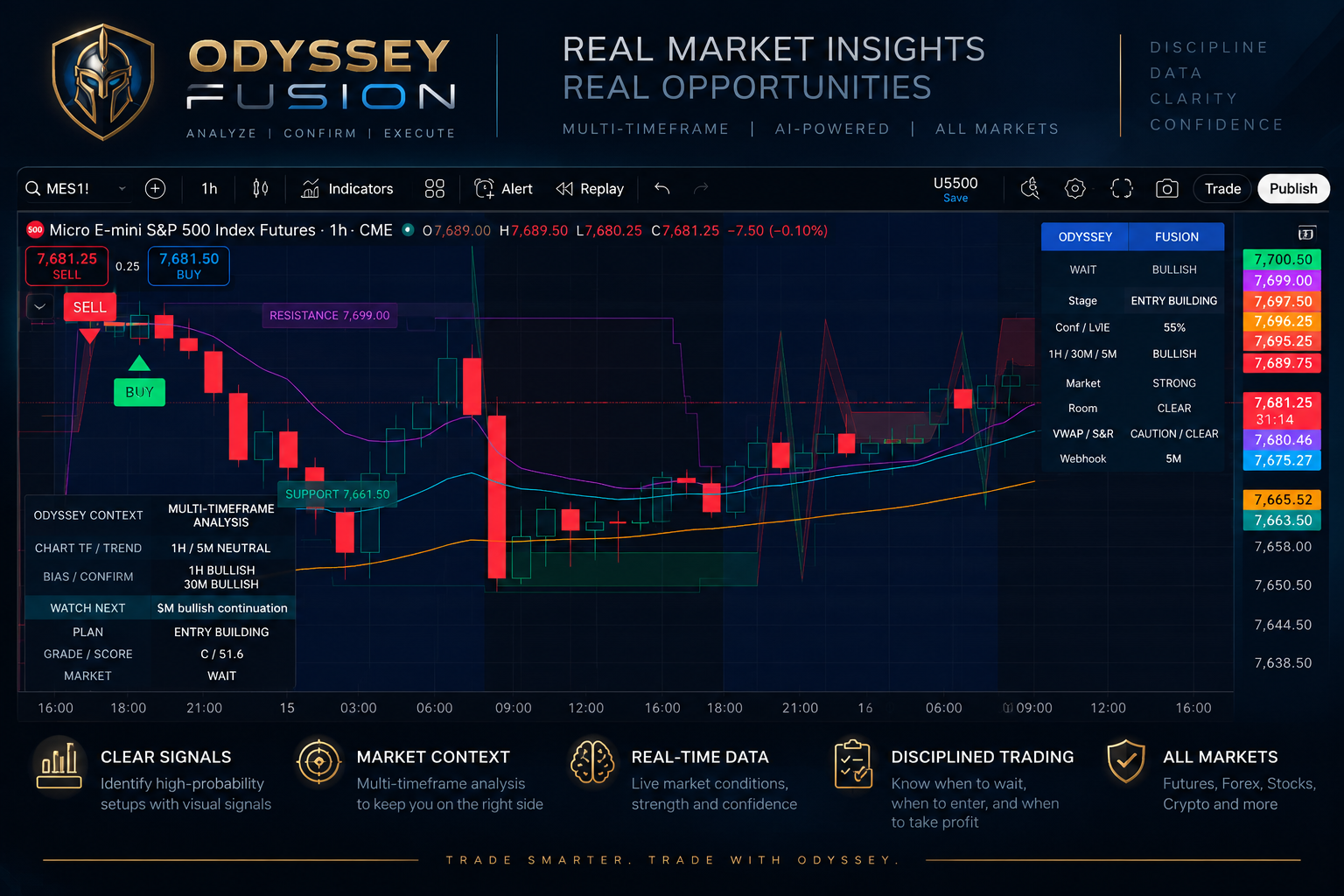
Possible sequence, not a required checklist: not every valid move includes every step. Standard BUY / SELL does not require the separate PB confirmation sequence. A developing setup may instead become INVALIDATED or EXPIRED.
Compare broad 1D / 4H context with 1H bias, 30M confirmation and 5M timing. The chart display is not limited to 5M.
Next 30M close, Next 1H confirmation, 5M bullish/bearish confirmation, New setup or Trade management identifies the next useful observation.
Read Grade / Score, MARKET, volatility, volume and session. Confidence describes confluence, not a probability of profit.
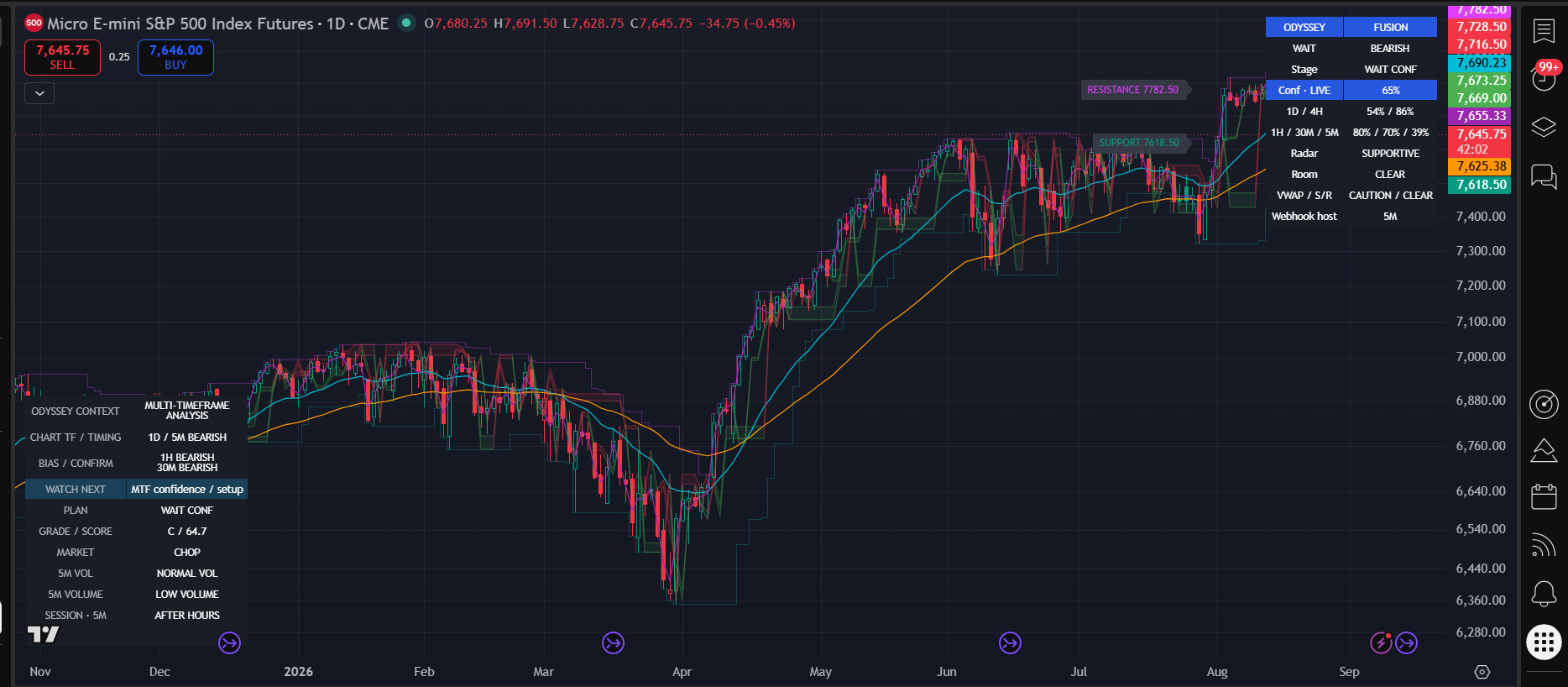
An opportunity is developing. Review alignment and price terrain; do not assume an entry.
Watch price return to a relevant area and assess the reaction. Not every pullback creates a valid entry.
Core triggers sit on the trigger candle. PB BUY / PB SELL is the separate pullback-confirmed path; an ordinary retest is not PB confirmation.
Timeframe strength, Conf · LIVE and Grade / Score help summarize the technical picture. A+, A, B and C describe stronger to weaker context. An 80% confidence reading does not mean an 80% probability of winning.
SETUP WATCH, PLAN FORMING, ACTIVE PLAN and READY help distinguish development from confirmation. The context layer also records setup, retest, trigger and management. INVALIDATED or EXPIRED means the prior setup is no longer actionable; wait for a new setup.
Not every lifecycle continues to a trade or reaches a favorable target. Explore the signal lifecycle.
Light green shading shows supportive/bullish zones. Light red shading shows resistance/bearish zones. Named SUPPORT and RESISTANCE lines retain price references. The zones provide context; they do not guarantee a bounce.
Show radar zone overlays is adjustable, with 10% default opacity and a 200-bar display-history limit. Select relevant timeframes and use compact/single-panel settings for smaller screens. Distant zones may be outside the visible price range.
Approach, reaction, holding, retest and failure describe zone interaction. A supportive zone can coexist with conflicting directional evidence. Read the reaction in the context of the whole chart.
TREND, CHOP, WAIT and NO TRADE help frame conditions. Conflicting alignment deserves attention.
Participation, movement scale and the configured session qualify the picture; none guarantees an outcome.
Structure breaks, changes of character and liquidity sweeps are advanced observations. They are not automatic entry commands.
Entry is the planned reference; Stop is the model risk/invalidation level; Target is the objective. R:R compares target distance to stop distance. Nearby opposing zones can limit room even when the ratio looks attractive.
Model target/stop and management observations are not broker fills. Actual execution, costs and position sizing remain your responsibility.
Pause for CHOP, weak or conflicting alignment, low confidence, poor R:R, low volume or missing confirmation. Do not chase an extended move or reuse a stale, expired or invalidated setup. Waiting is useful information.
REAL-TIME ALERTS
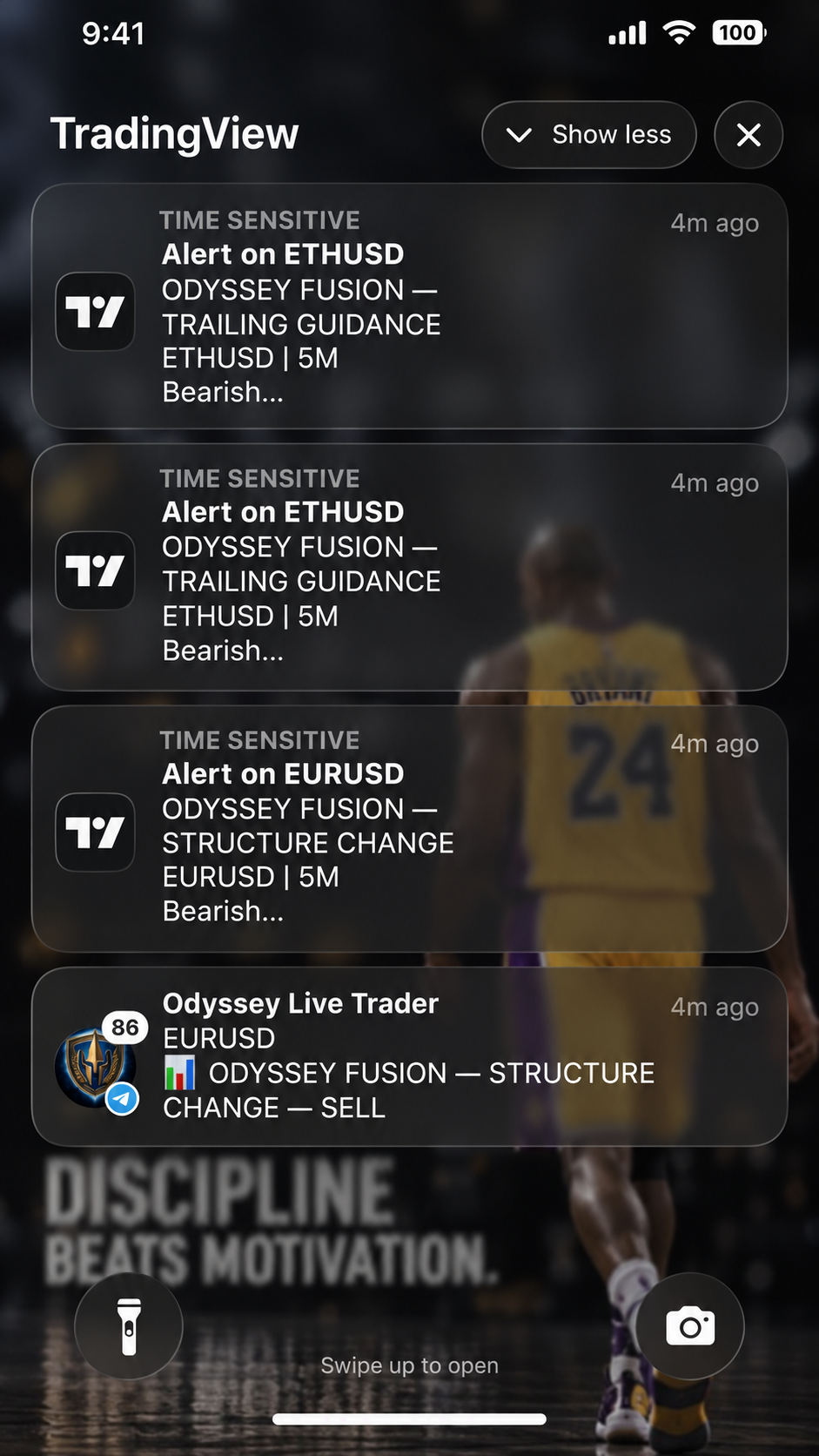
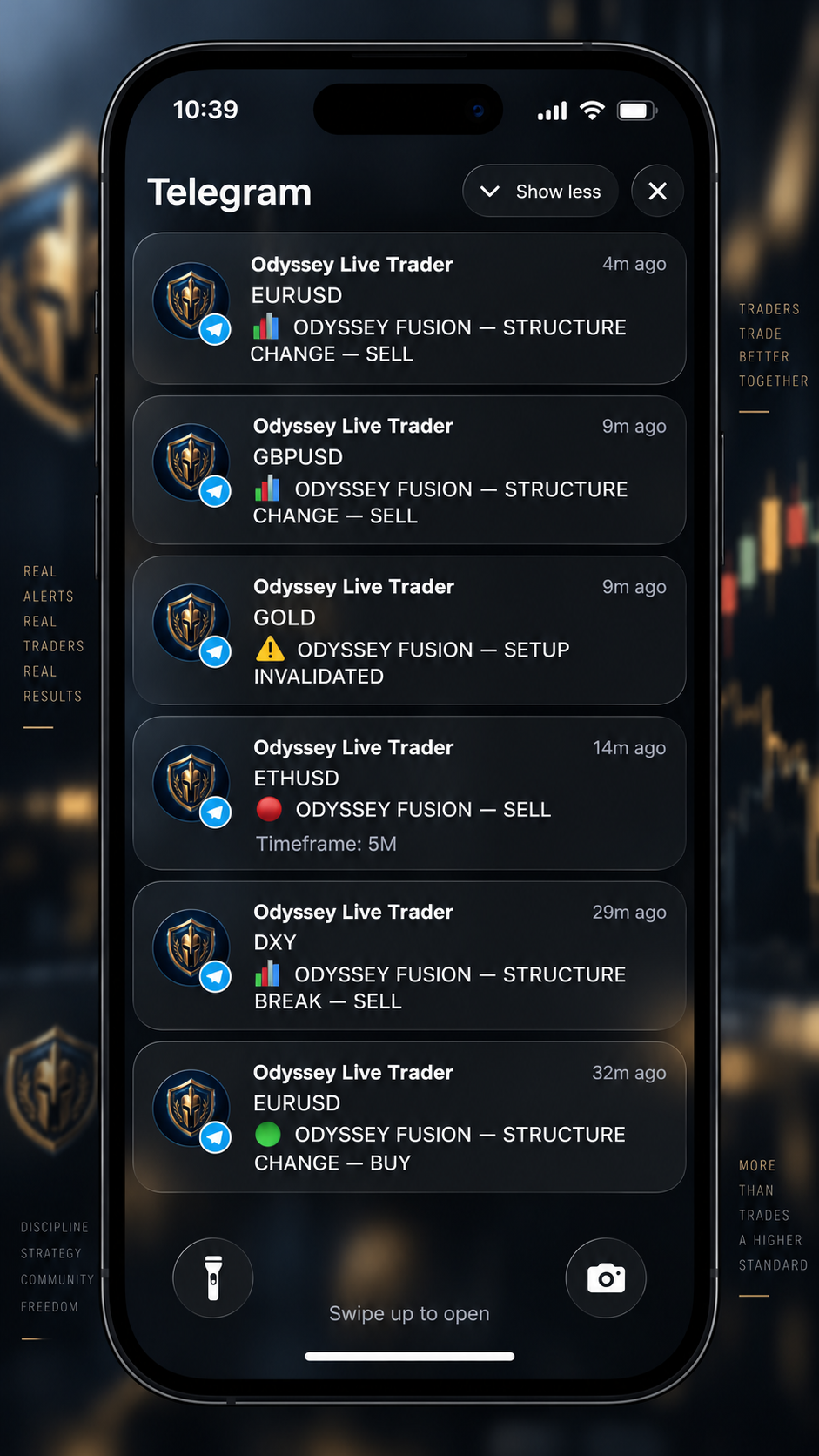
Odyssey Fusion can deliver TradingView alerts directly to your device so you can follow structure changes, trailing guidance, pullbacks, and developing market conditions without staring at the chart all day.
Alerts provide market information and guidance only. Odyssey does not automatically place trades.
Client Fusion TradingView alerts identify the symbol and event in human-readable text. Use the human message format and your chosen push settings; a machine JSON payload is not a human notification.
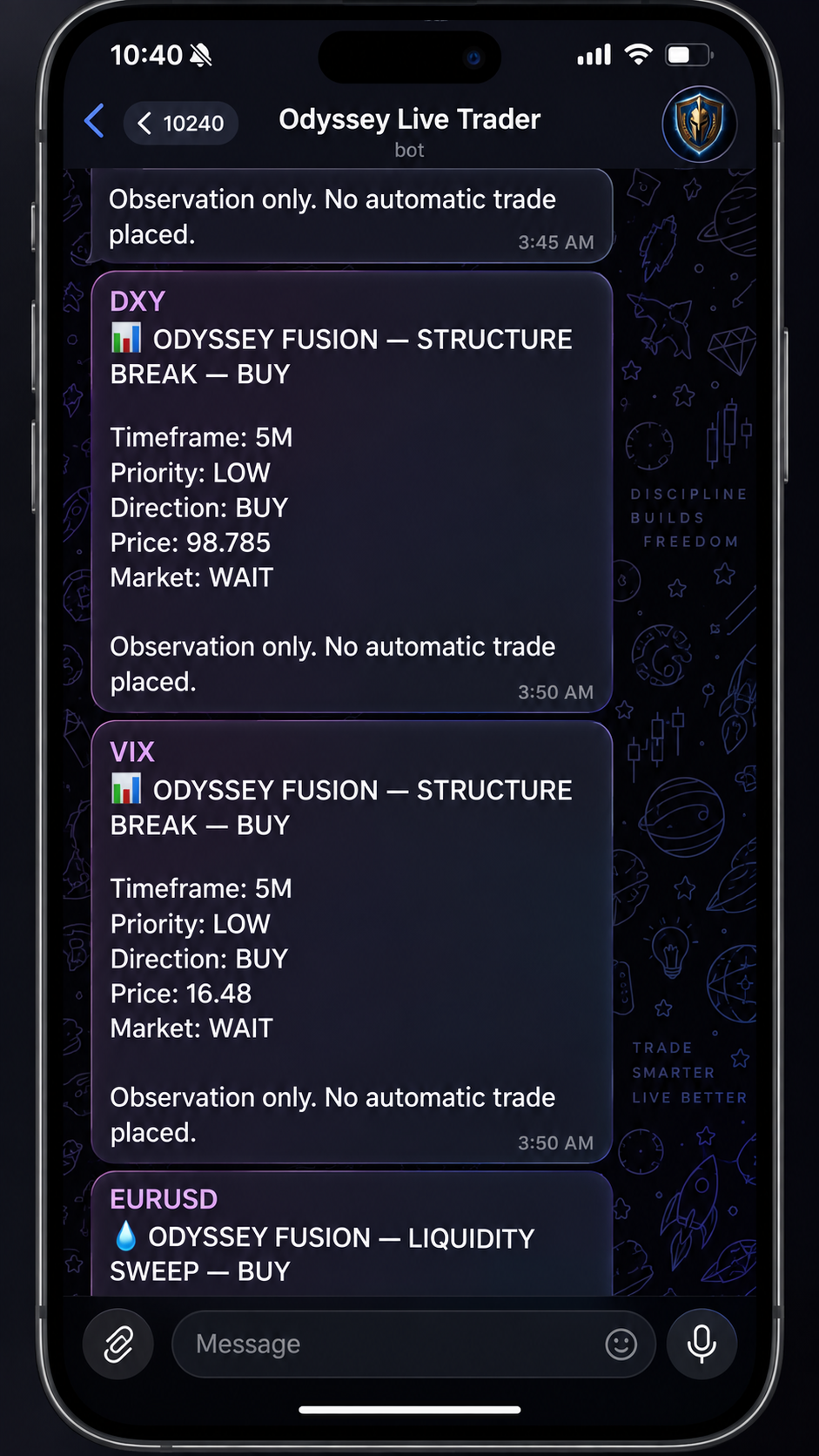
Private V2 separates readable human push from JSON webhook delivery. Its Telegram messages put the symbol first and show relevant context without raw JSON, internal event IDs or visible test-environment wording. These private integrations are not included in V1 access.
Inspect futures, crypto, FX, indices and commodities where TradingView data is available. Examples include ES!, ETHUSD, SPX, USDJPY, USOIL, GOLD and VIX. Exact symbols, feeds, sessions and data entitlements vary.
These are observation examples, not equal-performance claims or recommendations. A quoted index is not interchangeable with a tradeable futures contract.
Use daily or intraday views to inspect the market, with 5M retained as the current signal-event host. Compact panels and optional single-panel mode preserve chart space. Open screenshots at full size to read exact prices; a reduced banner is an overview.
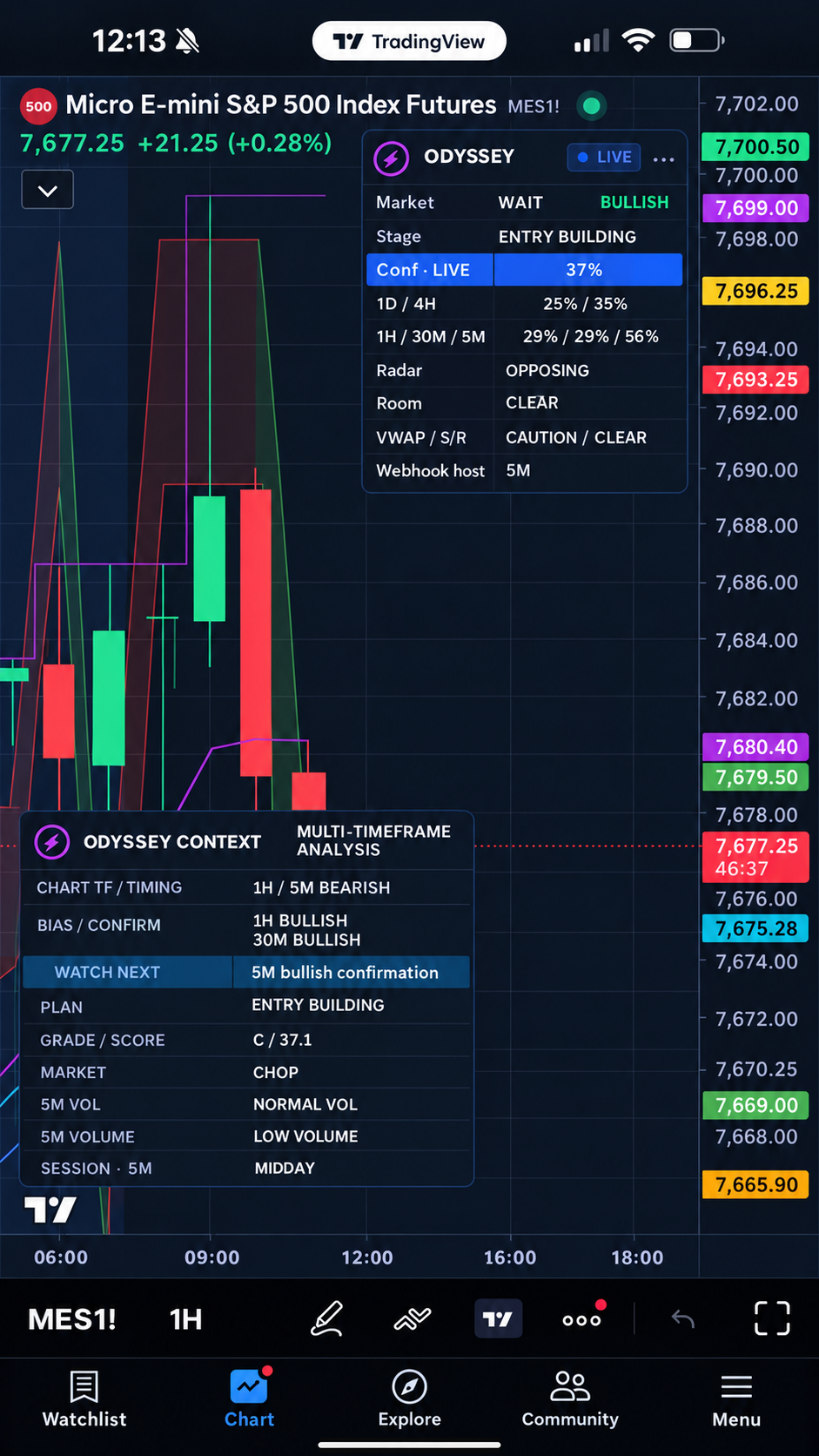
The current chart walkthrough explains an actual captured Fusion view. It does not invent an entry, fill or profit. The hero is separately labeled promotional artwork.
One system. Different markets. The same decision framework.
See how Odyssey presents market context across different asset classes.
Review the current offer and account status. Billing and TradingView access are separate steps.
Use the exact account name in My Access. Invite-only access is manually granted.
Find the granted script in Invite-Only Scripts, choose a chart and start with the knowledge guide.
FREE ODYSSEY COMMUNITY
Get Odyssey market alerts, setup commentary, educational breakdowns, and community updates delivered through our private Telegram community.
See real examples of how Odyssey identifies developing market conditions, structure changes, pullbacks, invalidated setups, and directional signals across multiple markets.
You do not need an Odyssey Fusion subscription to join.
Want Odyssey directly on your own charts?
Get Odyssey Fusion — $49.99/month
Odyssey alerts are informational and educational. They do not guarantee results or automatically execute trades.
Invite-only chart analysis, signals, multi-timeframe context, Radar and readable TradingView alerts. Private V2 integrations are excluded.
Checkout reports its current availability before proceeding. Access remains subject to the actual account and TradingView grant status.
Odyssey Fusion is a technical-analysis and decision-support indicator for educational and informational use, not financial advice. Signals do not guarantee profit. Users remain responsible for trade decisions, position sizing and risk. Model observations are not broker fills. Historical examples do not guarantee future results. Customer execution is manual; Odyssey does not place trades. Trading involves risk.
No. You can inspect other chart timeframes. The current event workflow uses a 5M host.
No. A setup is developing; look for the explicit trigger, context and risk references.
No. Standard BUY / SELL and pullback-confirmed PB signals are separate paths.
No. Confidence is a confluence measure, not a win probability.
The free Odyssey Live Trader Community is available separately at no charge. Paid Odyssey Fusion provides TradingView indicator access for $49.99/month. Private owner V2 server/webhook Telegram automation is internal and is not part of customer Fusion access.
No. Customer execution is manual. Model observations are not broker fills.
TradingView keeps a saved script/input snapshot. See the knowledge guide before replacing an older alert.